Your Obsidian vault,
now fluent in Claude.
A ready-to-use Obsidian vault wired for Claude, Claude Code, and MCP. Open it, point Claude at it, and your notes become a working knowledge base in about ten minutes — no plugins to chase, no folder structure debates, no half-finished templates.
$69 (30 146 ₸), one-time. Lifetime updates. 14-day refund, no questions. Instant delivery — the download link appears right after payment.
Card or PayPal. Download link right after payment, plus a copy to your email.
Built for the stack you already use
Obsidian·Claude·Claude Code·MCP·Anthropic Skills
Works on macOS, Windows, Linux. Your notes stay local — on your disk, in plain Markdown, forever yours.
You did the Obsidian thing.
You read the Zettelkasten posts. You watched the YouTube videos. You built folders, then tags, then a graph, then a MOC. You have 800 notes. Maybe 8,000.
Then Claude showed up. And suddenly the question changed:
- Why am I still copy-pasting notes into a chat window?
- Why does Claude have no idea what I already wrote about this?
- Why does every "AI for Obsidian" tutorial assume I'll spend a weekend wiring plugins?
Your notes are good. The connection to AI is the missing wire.
A complete Obsidian setup, pre-wired for Claude
Second Brain Vault is a folder structure that AI can actually navigate. MCP servers configured. Claude Skills installed. Daily notes, project notes, and reference notes that follow one consistent shape — so Claude reads them the same way you do.
You bring your thinking. The vault brings the plumbing.
What you get when you unzip the file
Counted from the archive you'll download — version 5.6, ~145 MB.
| # | Inside | Why it matters |
|---|---|---|
| 001 | Pre-configured Obsidian vault | 500+ notes, all editable, all yours. |
| 002 | MCP server setup | For Claude Desktop and Claude Code, with config files ready to paste. |
| 003 | 12 Claude skills | Tuned for note-taking workflows: capture, summarize, link, review, plan. |
| 004 | Note templates | Daily / Weekly / Monthly templates that Claude understands and updates. |
| 005 | AI-ready folder layout | Dashboard-first, Zettelkasten-core structure — entry-point dashboards, a Card Index with maturity stages, and a day-to-year review chain, adapted for AI search. |
| 006 | Dataview and Bases queries | Active projects, stalled notes, and reading queue at a glance. |
| 007 | 40-page handbook | Running your knowledge system with Claude — installation, first week, advanced workflows. |
| 008 | Lifetime updates | As the Claude + Obsidian stack evolves, the vault evolves with it. |
| 009 | 8 Claude subagents — bonus | Weekly and monthly analysts, a three-voice Council of Sages for hard decisions, a morning briefing, and more — pre-wired, ready to run. |
Nine systems that already run
These aren't empty folders with tidy names. Each one is a working system with data already in it — open it, see how it behaves, then swap my examples for yours.
🎓 A 4-day quick start
Day 0 to Day 3, inside the vault itself: orientation, first content, tools, then personalising the setup. About two hours total — no hunting for tutorials.
🗓️ Periodic notes
Diary, weekly, monthly, quarterly and yearly reviews. The weekly and monthly ones pull the days underneath them in on their own — you review, you don't re-type.
📚 Bookshelf and screening room
39 books and 195 films catalogued on Obsidian Bases — covers, ratings, filters, reading queue. 12 full book summaries come along as a bonus.
🫂 Social Circle
The vault keeps an eye on the people you care about: who you haven't spoken to in too long, whose birthday is coming. You set the rhythm, it does the counting.
📈 Projects and Gantt
Projects with statuses, deadlines and a real timeline — a Gantt chart with dependencies, inside Obsidian. No external tracker to keep in sync.
🌱 Card Index
The place for your own thinking, not clippings. Notes mature from 🌱 seedling to 🌿 growing to 🌳 evergreen, so you can see which ideas are ready and which need another pass.
📊 Year in Numbers
A personal annual report in the spirit of Spotify Wrapped: books read, films watched, courses finished, notes written — and how the year actually felt. Computed from your own notes.
🧭 Thinking templates
Wheel of Life on interactive charts, a decision log, second-order thinking, memento mori. Frameworks for the decisions worth slowing down for.
🔬 Vault analytics
Activity heatmap, vault statistics, a maintenance checklist and stale-note detection — so the base tells you when it's starting to rot, instead of rotting quietly.
Real screens, not mockups
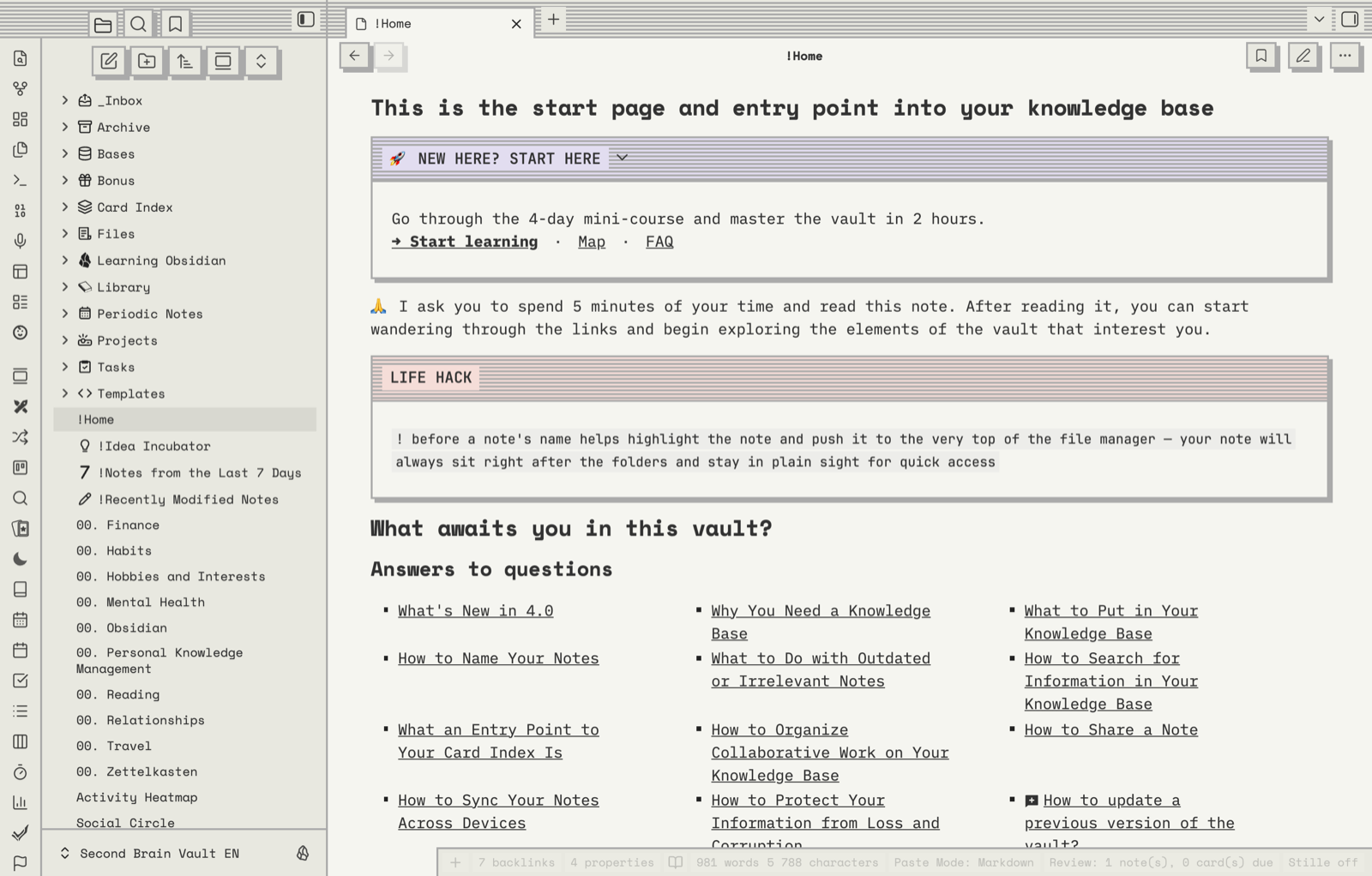
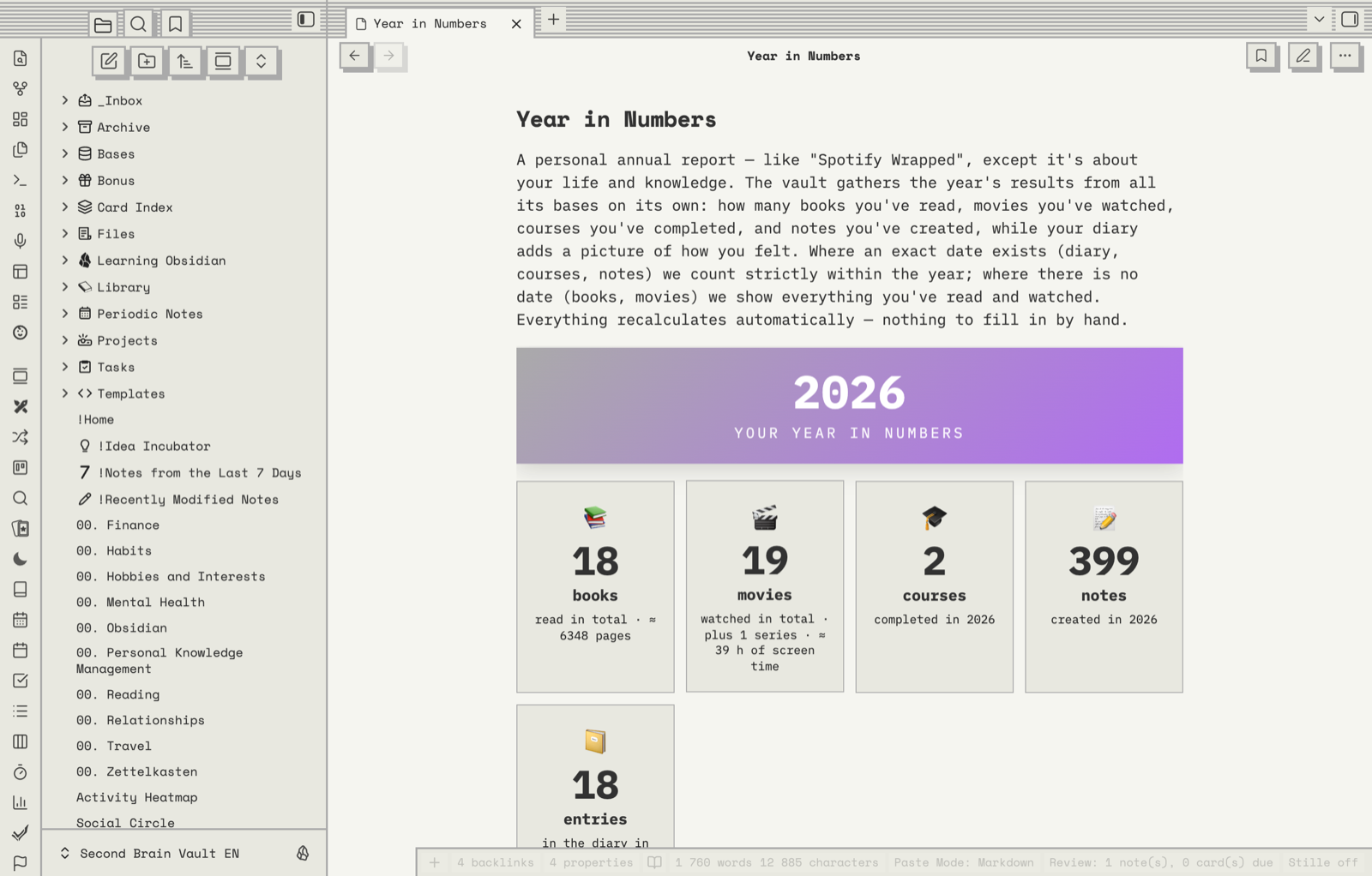
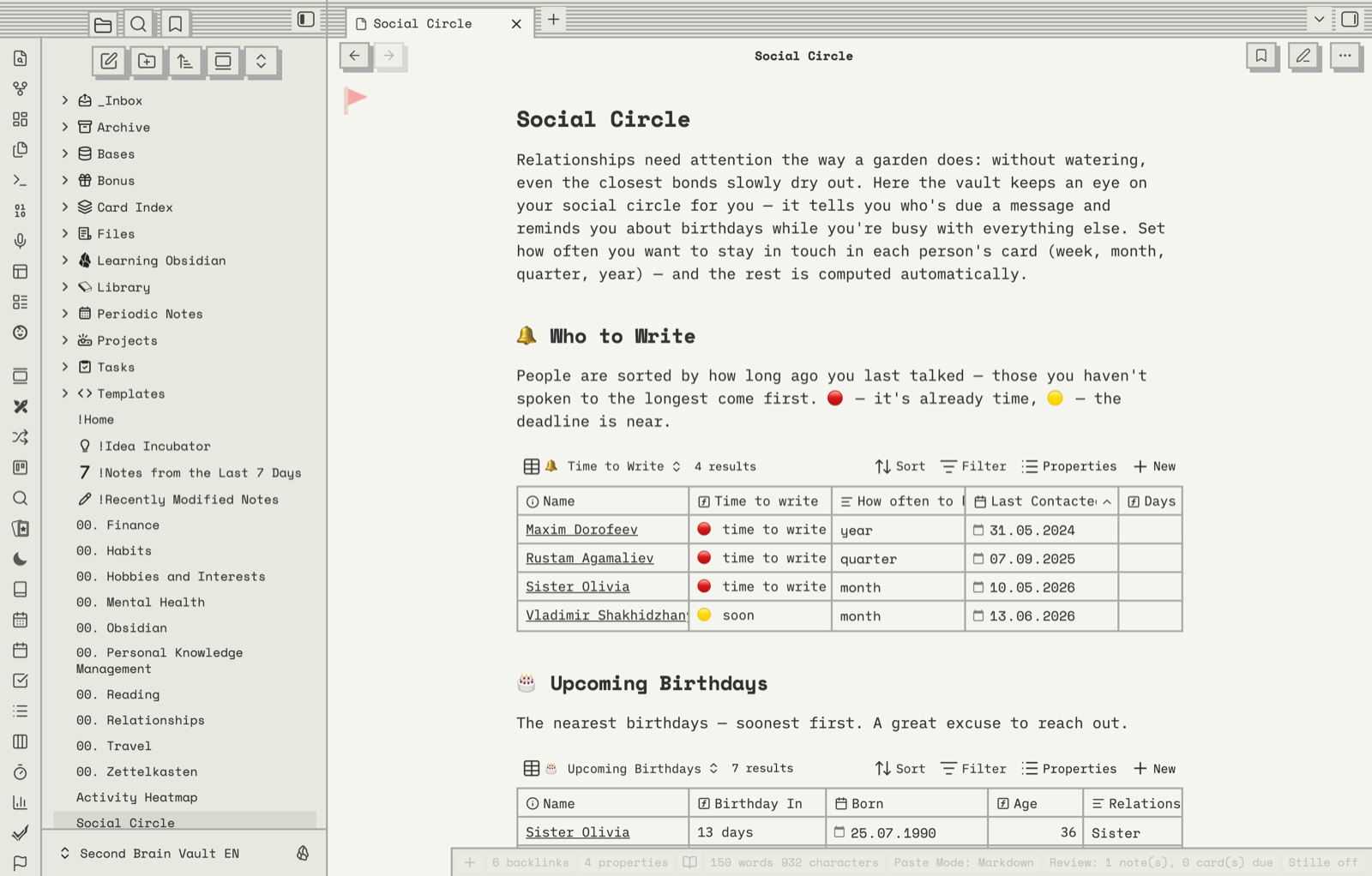
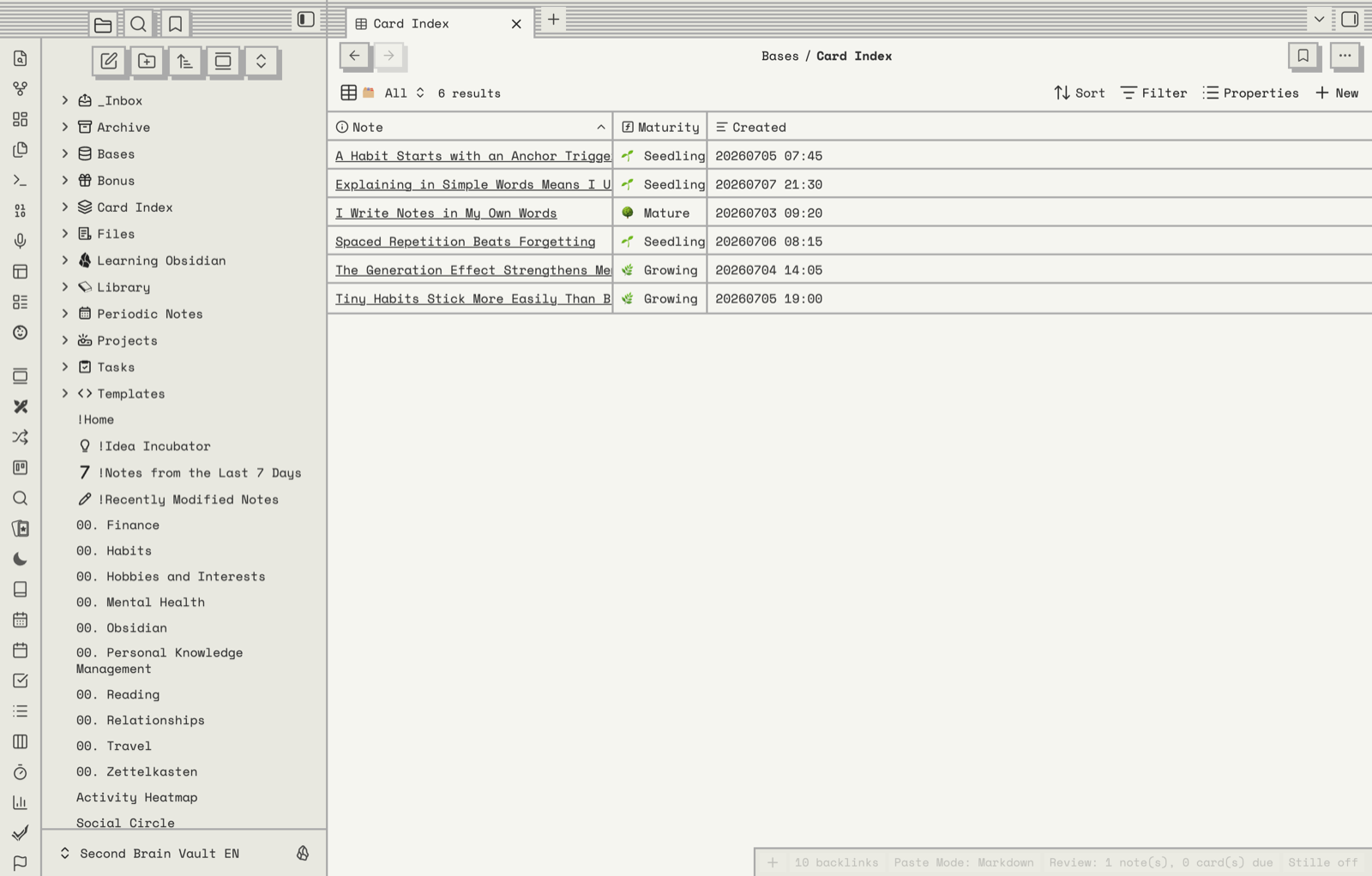
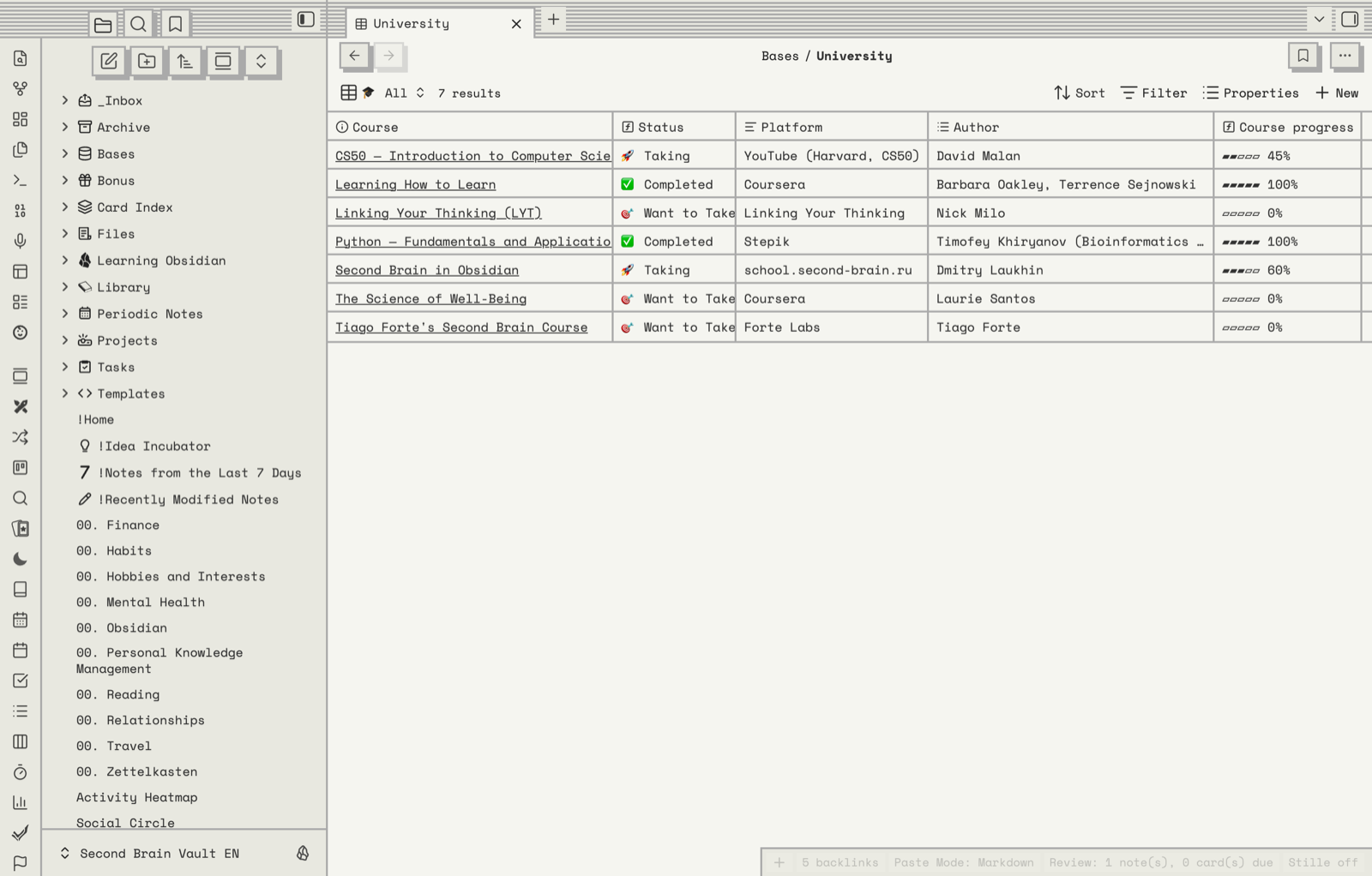
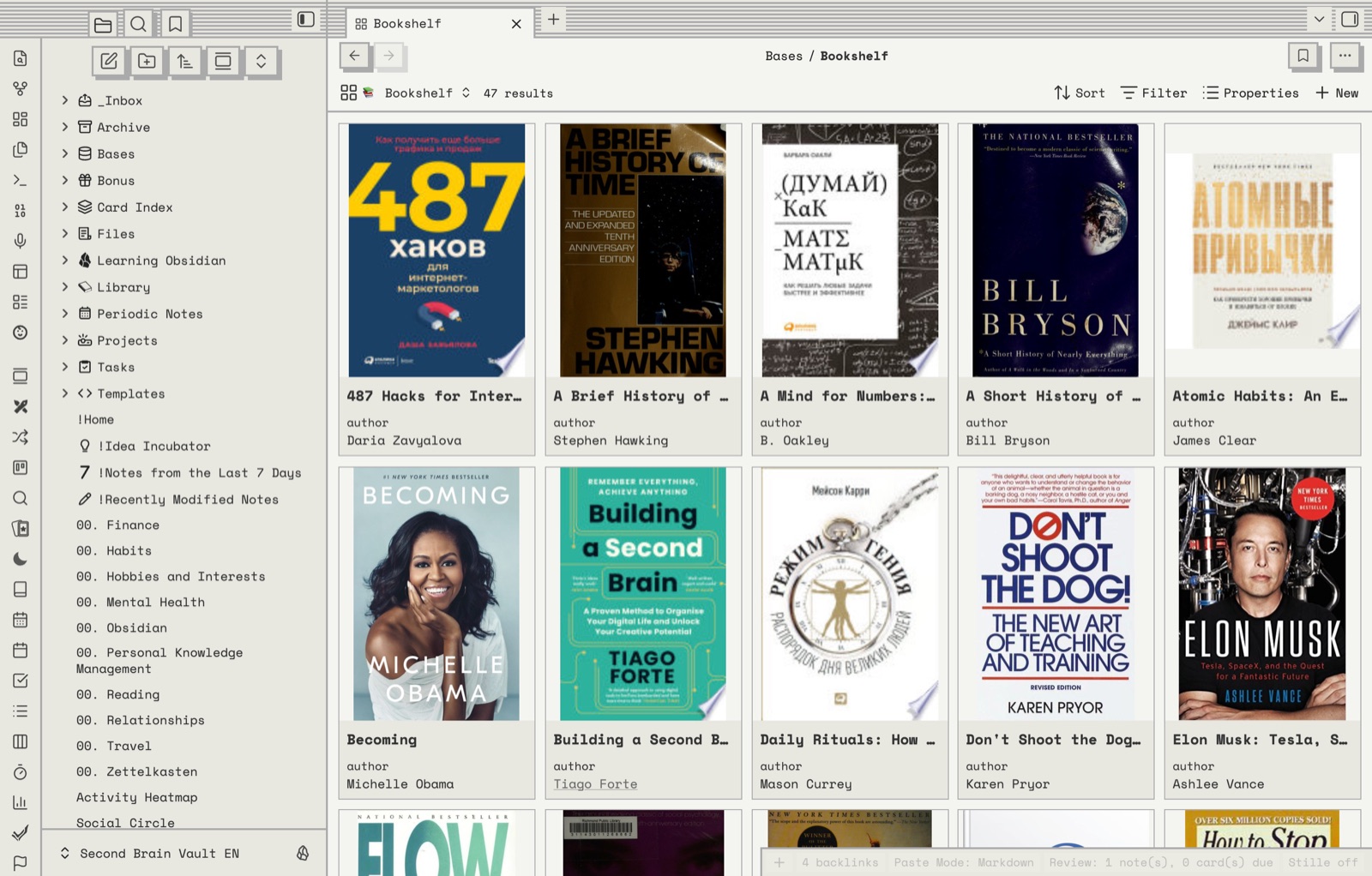
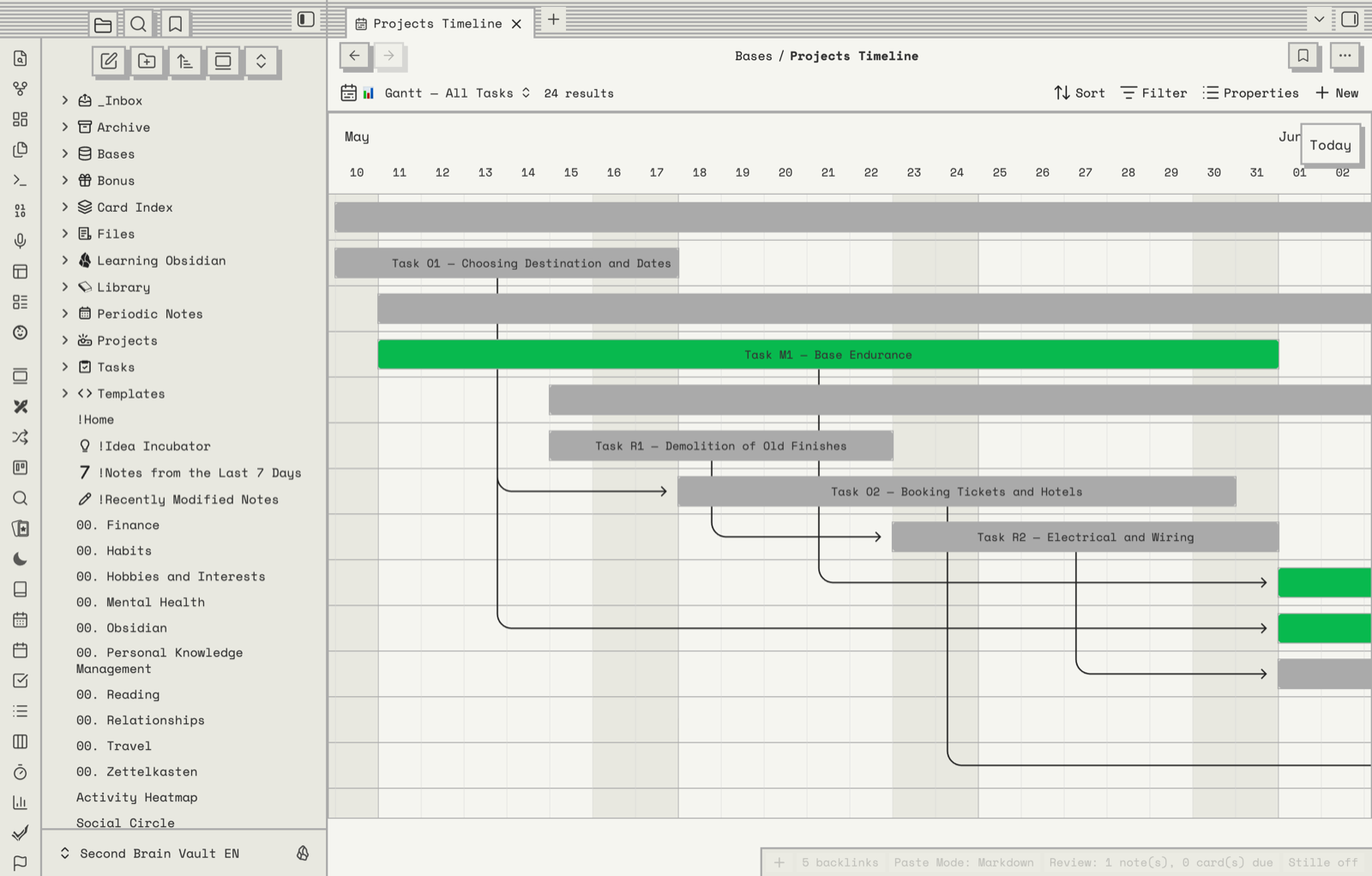
← Scroll sideways · click a screenshot to enlarge
Built for three kinds of thinkers
The operator
You run projects, manage people, and live in meetings. You want Claude to draft your weekly review from yesterday's notes, surface what's blocked, and remind you what you promised whom.
The builder
You ship side projects, write docs, and read papers. You want Claude Code to grep your vault for old design decisions, then write the new one in your voice and your structure.
The writer-thinker
You collect ideas, quotes, and half-finished essays. You want Claude to find the three notes that connect — the ones you'd never have linked yourself — and help you turn them into something whole.
If you're none of these, you'll probably still get value. But these are who it was built for.
Worth your $69 if
- you'd rather take notes than spend three weekends building the perfect system;
- you work from a computer — a phone alone won't carry a knowledge base;
- you'll do the thinking yourself: the vault gives you the structure, not the ideas;
- you're starting fresh, or moving in from a zoo of half-used apps.
Skip it if
- you expect the base to fill itself — no vault and no chatbot does that for you;
- you work only from a phone;
- "file" and "folder" are unfamiliar words — learn those first, come back after;
- you already have a system that works. Don't fix what isn't broken.
I'd love to say this fits everyone. It doesn't — and I'd rather save you the $69 than take it.
Three steps to a working vault
Pay
Card or PayPal. Cards go through Robokassa and are billed in KZT — I'm a registered business in Kazakhstan, so your bank converts at its own rate and you pay the dollar price you saw. PayPal bills in USD directly.
Download
The link appears the moment the payment clears, and a copy lands in your email. The archive is ~145 MB and the link stays live for 48 hours — miss it and one reply gets you a new one.
Open in Obsidian
Unzip the folder and open it as a vault. Obsidian is free and runs on macOS, Windows and Linux. That's the whole setup — start on the home page and the built-in course takes it from there.
Not a marketplace template

I'm Dmitriy Laukhin. I've been teaching Obsidian since 2022 — over 1,000 students across three courses — and I run PRO Obsidian, a community of 9,000+ note-takers.
This is the structure of my own working vault: cleaned up, translated, and stripped of the parts that were only ever personal. Not a template assembled to be sold — a system I use every day, which is why the awkward parts got fixed years ago.
The AI layer is the same story. I've been running my knowledge base with Claude since the week MCP shipped, and the skills and subagents in here are the ones I actually use — not a demo written for a landing page.
Questions before buying? Write to info@second-brain.ru — I answer these myself.
One price. Everything included.
$69
30 146 ₸ · one-time · no subscription · no upsell email sequence
- The full vault (500+ notes)
- MCP config for Claude Desktop & Claude Code
- 12 Claude skills, pre-installed (Anthropic's open Skills format)
- 8 pre-wired Claude subagents (bonus)
- 40-page handbook (PDF + in-vault)
- Lifetime updates
- 14-day refund, no questions
Instant delivery: download link right after payment, plus a copy to your email.
Pay once. If the vault doesn't earn its keep in two weeks, write one line to info@second-brain.ru and your money's back.
Questions and answers
Ideaverse and most starter vaults were designed before Claude, Claude Code, and MCP existed. They're built around human-only workflows: linking, MOCs, graph view. Second Brain Vault assumes from the first folder that an AI will be reading your notes alongside you. The folder shape, the templates, the metadata — they're all tuned so Claude can navigate your vault without prompting tricks. If you love Ideaverse, you can still run them side by side. They're complementary, not competitors.
Yes — Second Brain Starter is a free, open starter vault on GitHub (MIT + CC0). It gives you the core folder shape and a taste of the approach. The paid vault adds the full MCP configuration, 12 Claude skills, the complete template set, 8 pre-wired subagents, the 40-page handbook, and lifetime updates.
Yes — you'll want at least Claude Pro ($20/mo) to use the MCP integrations comfortably. For Claude Code workflows, the same Pro plan covers you for most uses. The vault itself works as a regular Obsidian vault even without Claude — you just won't get the AI features.
Yes. About 70% of the value lives in Claude Desktop with MCP — daily notes, summarization, search across your vault, project reviews. Claude Code unlocks the heavier workflows (bulk edits, structured refactors of your notes). The vault ships configs for both, and the handbook covers both paths.
14 days, no questions. One line to info@second-brain.ru saying "refund" and you're refunded the same day. I'd rather have a clean conscience than a $69 sale.
Yes — lifetime updates. The Claude and Obsidian stack moves fast (new Skills, new MCP servers, new Anthropic features). When the vault gets an update, you get the new version with one click. No re-purchase, no "v2 — pay again" nonsense.
No. The vault is designed to be merged into an existing one — you take the templates, MCP configs, Skills, and folder conventions and apply them to your notes. The handbook has a chapter on migrating an existing vault, with the order of operations and what to back up first.
Fair question. I'm Dmitriy Laukhin, based in Kazakhstan. I've been teaching Obsidian for four years to a Russian-speaking audience — over 1,000 students across three courses, plus a 9,000-strong community channel — and running Second Brain Project full-time. This is my first English-market product, so I'm trading on reputation I don't have here yet — which is exactly why there's a 14-day no-questions refund and a single $69 price. I'm not asking for $300 and trust. I'm asking for $69 and two weeks to prove it.
You'll be fine, but expect a learning curve. The handbook assumes you've opened Obsidian at least once and know what a Markdown file is. If you've never used a note-taking app like this, start with the official Obsidian Help vault first, then come back.
Yes. The vault lives on your disk, in plain Markdown files. Nothing syncs to my servers — I never see your notes. When you use Claude, your notes go to Anthropic under their privacy terms (you control which folders Claude can access via MCP). There's no telemetry in the vault.
Card payments (Visa, Mastercard, and others) via Robokassa, billed in KZT — we operate as a registered business in Kazakhstan, and your bank converts at its rate, so you pay the dollar price on this page. And PayPal, billed in USD. Pick whichever suits you at checkout.
Instantly. The download link appears right after payment, and a copy lands in your email. The link expires in 48 hours — if you miss it, just reply to that email and I'll send a fresh one.
Maybe later. Right now the vault + handbook is the whole product. If there's demand for a deeper video course, I'll build it as a separate purchase — not a paywalled tier of this one.
Personal use covers one person. For team licenses (5+ seats with shared updates), email info@second-brain.ru and we'll work it out. I haven't built a team page yet because nobody's asked twice.
Your notes are already good.
Give them a way to talk to Claude.
$69 one-time · lifetime updates · 14-day refund
Instant delivery: download link right after payment, plus a copy to your email.